Map your network compartments.
Architecture diagrams, compiled.
Upload one spreadsheet and Compartmap generates a correct network segmentation diagram in your browser — nothing to install. Edit it free in draw.io, or export to Microsoft Visio.
- ~1 min
- upload to diagram
- 0
- tools to install
- 100%
- reproducible output
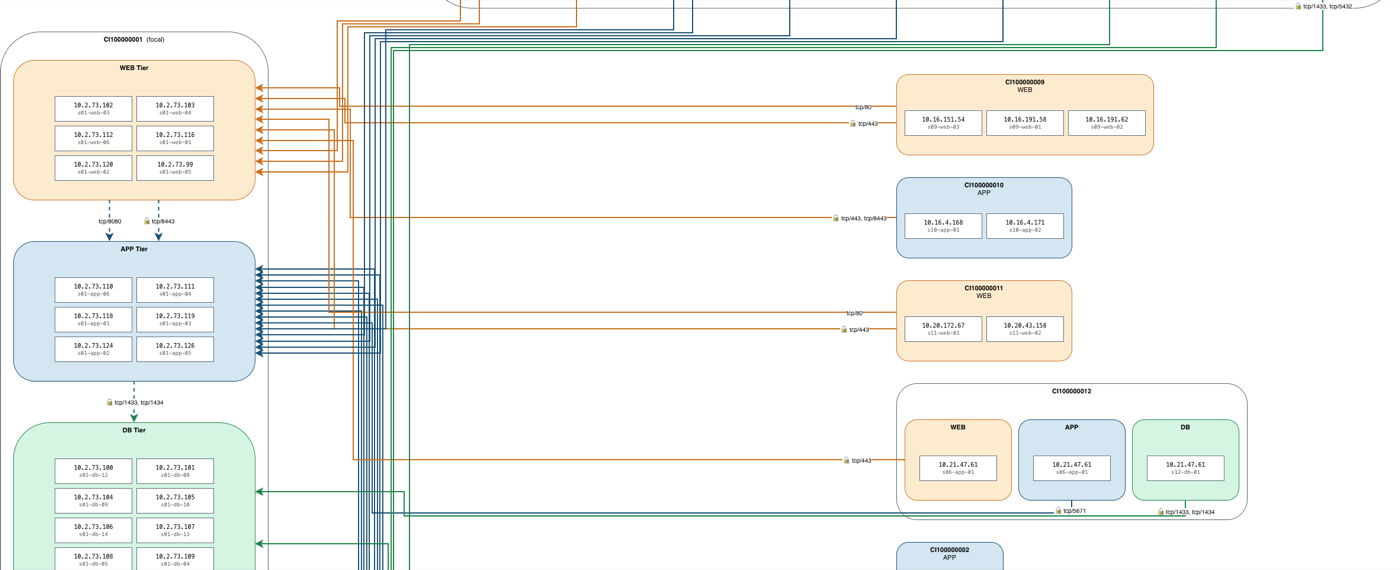
A real export, generated from the synthetic SampleApp.xlsx — no real network data.
The problem
Hand-drawing segmentation diagrams takes hours to days — and they’re still wrong.
Every application ships two deliverables: a spreadsheet describing its network compartments, and a Visio schematic drawn by hand from it.
The drawing is slow, tedious, and drifts out of sync the moment a flow changes. A misplaced arrow or a forgotten DMZ box is a security review finding waiting to happen.
Compartmap makes the spreadsheet the single source of truth — and compiles the diagram from it, the same way every time.
How it works
One upload. Four deterministic steps.
No browser editing, no manual layout, no intervention between upload and download.
- 01
Upload one spreadsheet
Drag in an .xlsx describing the focal app — its tiers, IPs, and every network flow in and out.
- 02
Parse & validate
A strict parser checks tiers, IP formats, ports and CIs, rejecting malformed input with line-level errors.
- 03
Deterministic layout
A hand-rolled engine places the tier stack, groups peers, aggregates flows and routes color-coded arrows.
- 04
Download — nothing installed
Get an editable .drawio (free to open in draw.io) plus a Visio .vsdx. Same input always yields the same diagram.
What you get
Two files. Zero installs.
The diagram is generated online. You download finished files — no draw.io, no Visio, no plugins required to get them.
diagram.drawio
Edit free in draw.io
Open it in the free draw.io web app or desktop — no licence, no account. Tweak a box, re-route a flow, export anywhere.
diagram.vsdx
For Microsoft Visio
A native Visio file for teams standardised on Microsoft Visio — the same diagram, ready to drop into existing documentation. Optional: you never need Visio to use Compartmap.
Before & after
From rows to a routed diagram.
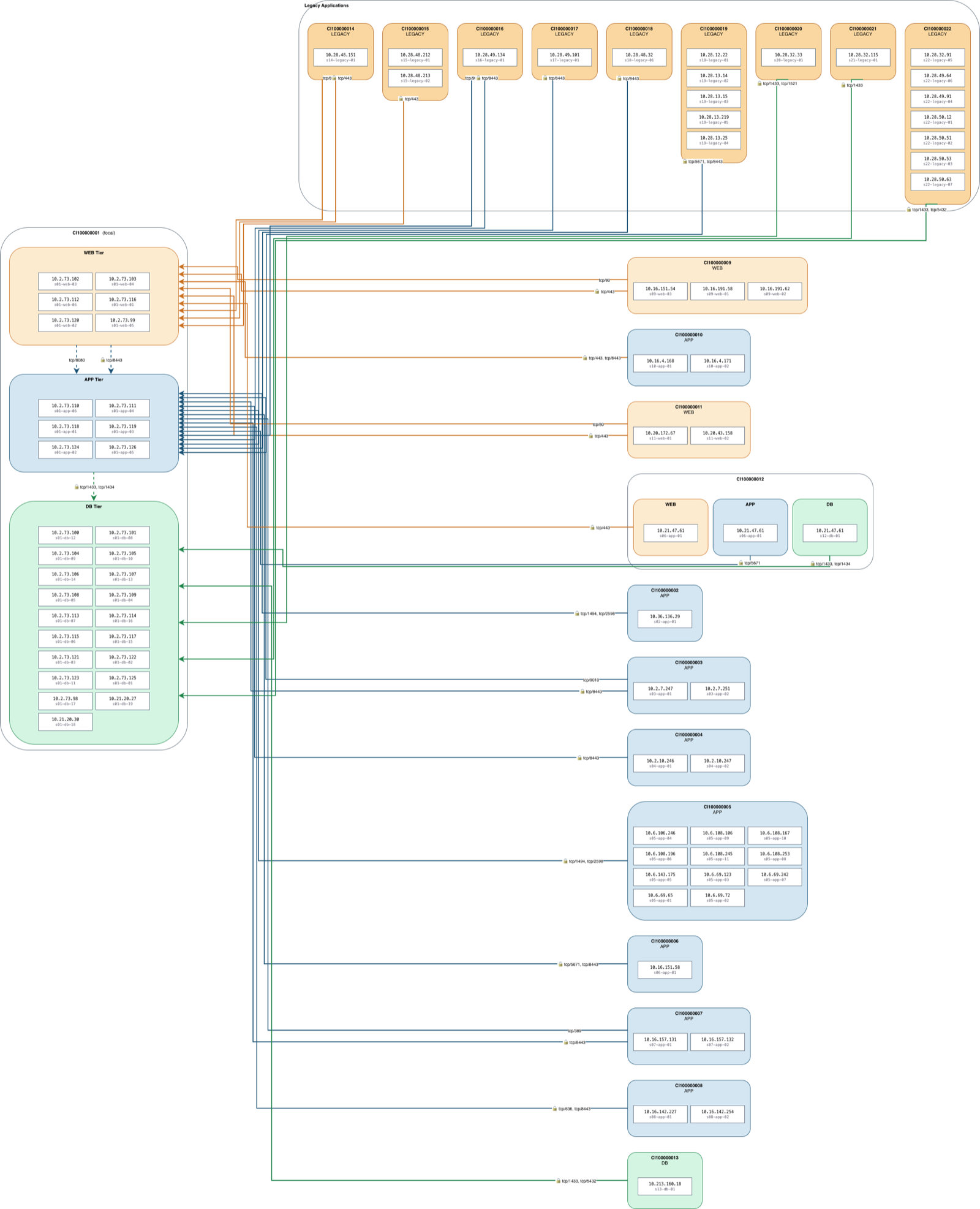
The same spreadsheet, every time, compiles to the same picture.
| Type | CI | Tier | IP | Target CI | Target tier | Proto | Port | Enc |
|---|---|---|---|---|---|---|---|---|
| focal | CI008300398 | web | 10.20.1.11 | — | — | — | — | — |
| focal | CI008300398 | app | 10.20.2.21 | — | — | — | — | — |
| focal | CI008300398 | db | 10.20.3.31 | — | — | — | — | — |
| flow | PortalSvc | web | 10.40.1.8 | CI008300398 | web | tcp | 443 | Yes |
| flow | AuthBroker | app | 10.40.1.9 | CI008300398 | app | tcp | 8443 | Yes |
| flow | ReportingDB | db | 10.41.3.5 | CI008300398 | db | tcp | 5432 | No |
Features
Built for diagrams you can trust.
Nothing to install
It all runs in the browser. Upload a spreadsheet, download a diagram — no draw.io, no Visio, no plugins on your machine.
Free to edit in draw.io
You get a .drawio file you can open and tweak for free in draw.io — on the web or desktop, no licence required.
Visio when you need it
Also exports a native .vsdx, so teams standardised on Microsoft Visio get a first-class file too — same diagram.
Deterministic, not generated
No LLM, no randomness. The same spreadsheet always compiles to the same diagram — reproducible and audit-friendly.
Tier & DMZ aware
Understands Clients, Load Balancers, Web/App/DB tiers and DMZ zones — drawing each in its correct place.
Flow-accurate arrows
Routed around every compartment, color-coded by destination tier, labelled with proto/port and a lock on encrypted flows.
Under the hood
A compiler, not a canvas.
Compartmap is a small, sharp pipeline. Every stage is pure and testable, so the output is a deterministic function of the input — never a guess.
- Typed graph model
- XLSX rows compile into Endpoint / Flow / Diagram dataclasses before anything is drawn.
- Hand-rolled layout
- No graphviz or networkx — a bespoke engine encodes this domain’s compartment semantics directly.
- drawio as source of truth
- One Jinja2-templated .drawio XML yields both the editable file and, via a sidecar, the .vsdx.
- Three-container stack
- FastAPI web + jgraph/drawio-export sidecar + cloudflared, health-gated boot, no exposed host ports.
Sample output
Real diagrams, synthetic data.
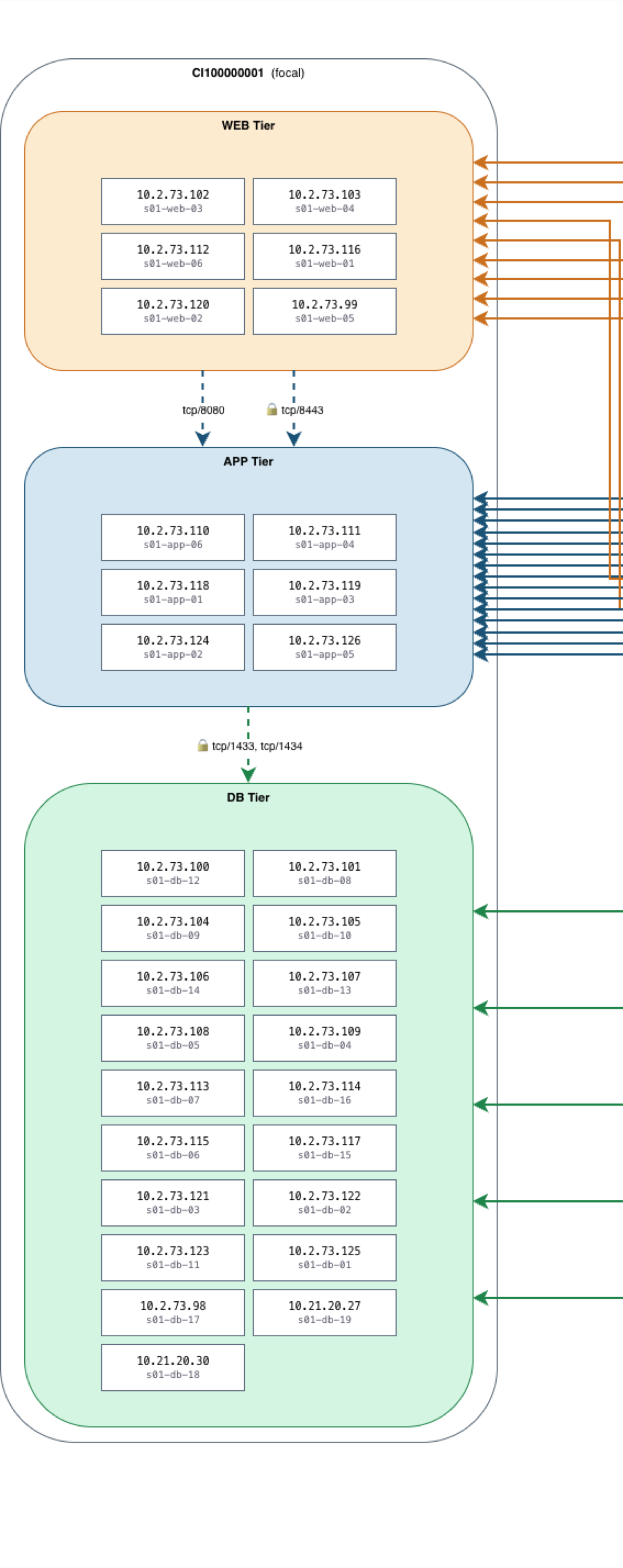
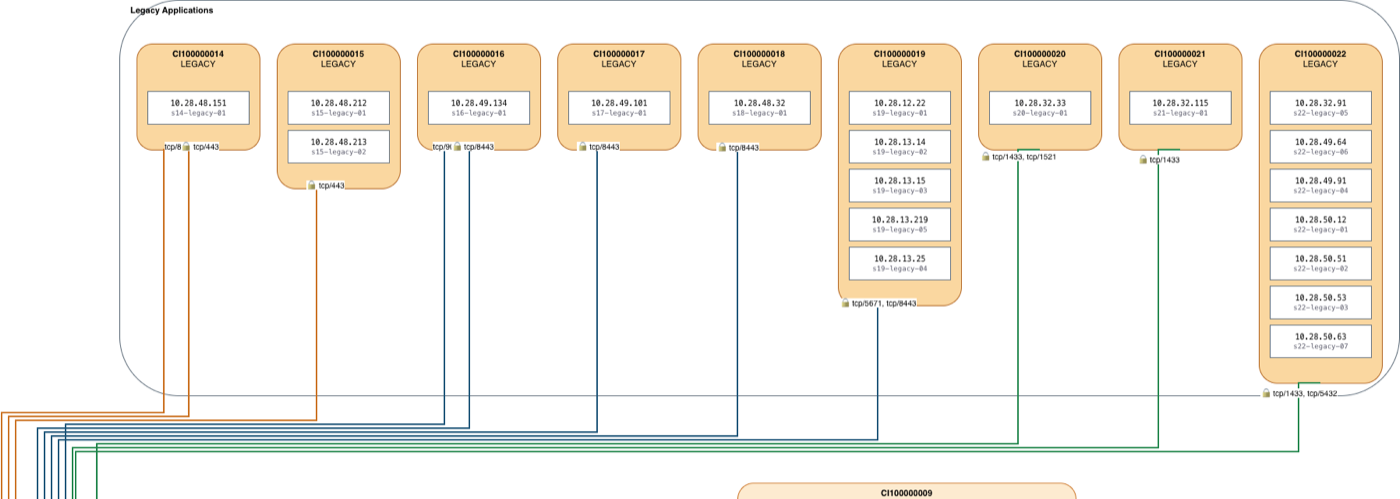
Every image here is a real export, compiled from the public SampleApp.xlsx.
Curious how it’s built? Let’s talk.
Compartmap is a working internal tool. Happy to walk through the engine, the layout algorithm, or the deployment.